Two things about me.
- I am a creature of habit.
- Miss me with the drama/panic/”end of whatever it is now” of the week.
Combine these two things and I just about ignored all of the AI hype and bluster and went about my life as is. I tend to wait for the storm to pass and the dust to settle before I pay attention. Usually, the hype machine will have died down and clearer heads will have prevailed.
Was doing just fine with my tried and true editing techniques.
I had no interest in creating autogenerated fake images of myself.
If you did good on you. Different strokes for different folks. Recently I had a bit of a portrait/branding session lined up that caused me to brush up a bit. Here are the end goals and the Lightroom tools I grew to appreciate.
End Goal: White background.
Part of the brief was pics with white backgrounds so they can be easily dropped into other promotional material.
Common request. Had not ever been asked for this before. Sure I have a massive collapsible white backdrop with a train (what I choose to call it) that goes underfoot.
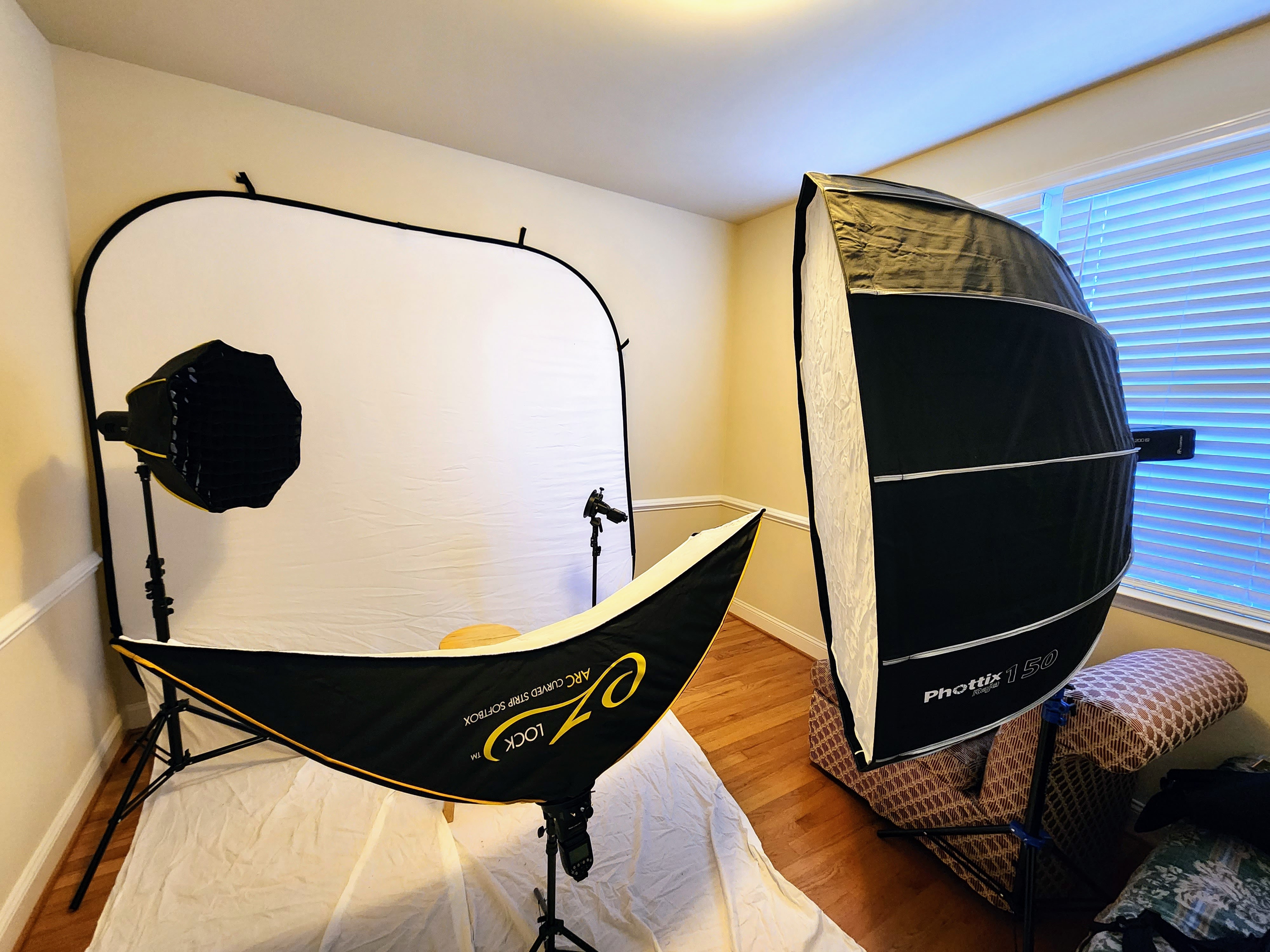
But that will not appear completely white no matter how much light I throw at it.
Tool Used: Auto subject select and um… masks.
Disclaimer: Rudimentary Lightroom stuff ahead. I must admit something. Other than a spot mask or a graduated mask I had not used masks before. Sure, I had seen videos with masks all over the place. But up until now I had not made use of them much. I got the results I wanted. I am not a “have to get it right in camera” nor am I anti post editing. Just had not needed it much for prior work. That changed for this session. And what I am pointing out below is common to many. This is meant for those, like me, who had not messed with any of this stuff much before.
Before the session started, I knew I would be better served by brushing up a bit and after a test shot with my son earlier that same day, I worked it out in short order. Mask, subject select, invert. Then with the background selected I was able to adjust the exposure, shadow, and white level sliders to get the desired effect. Took no time. I am sure there must be an even swifter and simpler way of getting a white background, but I leave that for another day to research. Hours later when the client, LindaGorham.com, looked at a photo of her sat on the floor she noticed the prominent fabric in the foreground and asked, “Will we need to take the shot again to get rid of the fabric?”. To which I confidently responded, “We (I. Talking about myself as multiples now evidently.) can remove that in post.”, not letting on that I had only worked that out earlier in the day. If Linda reads this (Hello.) she knows this now. And using the technique above it came out as I had expected.

End Goal: Portrait edits.
The usual stuff. Painting teeth and the whites of the eyes and whatnot. Have never delved too much into editing skin and such. Might take out a temporary blemish here or dial back clarity a bit there but that is it.
Tool used: Portrait preset.
While messing with subject select mask above I learned about how Lightroom automatically breaks out things I would normally paint like whites of the eyes, teeth, and such so they can be selected/edited alone. Cool. But before I got too far with that I saw that Lightroom had a portrait preset already. Clicked it and had a Leonarda Decaprio pointing at the screen and whistling meme moment. That is what I wanted to do. I am done.

End Goal: Cleaner Image.
The description above covers it nicely.
Tool Used: Denoise AI.
I had known about this for a minute and made good use of it. Great for cleaning up grainy, low light photos.

Great for squeezing a bit more clarity out of low MP vintage digital cameras.

First used it on a “real” photo session for some product photos recently.

And I made use of it during this portrait session as well. Slightly different reason though. I found it brought about a nice consistency between images from the session. Whether inside a studio set up…

…or outside.

Nice.
In all these tools were a pure benefit and saved me considerable time while allowing me control of the end result. I like it. Most importantly Linda liked the photos. Not my first work for her.

And it was a pleasure working with her again. If you have a chance please check out her website link above.
Well, that is about it. There is so much more I have yet to explore and I will look into it bit by bit as the need arrives.
Before I close I would like to make mention of what I did not mention. Camera or lens used. I have my reasons for using what I did but any brand or vintage would have done. All of the stuff above would apply as long as you use RAW. Used some of these tools for recent casual portraits with a 12.8MP camera from 2005.


In fact, with tools like denoise AI, it makes for an even better case for digital vintage gear where budget does not allow for latest and greatest.
Anyhoo. My two cents anyways.
Happy capturing.
-ELW

 Eric L. Woods